- Role
- Lead & Interaction Designer
- Company
- Sprout Solutions · HRIS
- Timeline
- 1 month
- Team
- 1 PM · 1 design · 1 eng
It started as one component for one feature. It ended as a pattern three teams reached for by default.
That arc — from component to system — is the whole story. Not because we set out to build a system, but because every time complexity showed up we asked the same question: where does this go? And the honest answer, every time, was the same panel.
By the end we'd combined progressive disclosure, deep product knowledge, and a shared design system into one interaction model that scaled across products and teams — without anyone having to redesign it. Different content, same system.
Time & attendance looks simple. It isn't.
On the surface, T&A is three verbs: clock in, clock out, track hours. Underneath, it's a swamp. For a single day, for a single employee, you might be juggling:
- Shifts that change per employee
- Holidays that vary by location
- Attendance anomalies and flags
- Leaves, undertime, overtime, corrections
- Supporting documents — certificates, approvals, proof
All of it has to coexist in one experience, often on one screen, without making the user feel like they've opened a filing cabinet. We needed an approach that could absorb more complexity without producing more confusion.
Too much, all competing for attention
Our problem was never a lack of features. It was the opposite — too much information shouting at once. Three issues kept surfacing.
- Information overload
Users jumped between pages just to understand a single attendance record. Answering “what happened on this day?” meant a scavenger hunt.
- Fragmented mental model
Shifts lived in one place, holidays in another, requests somewhere else. Nothing felt connected, so users assembled the story in their heads.
- Growing sideways, not deeper
Every new attendance feature meant another modal or page. The UI sprawled outward instead of revealing depth where it was needed.
Show everything, without showing everything at once
Keep users grounded in their current context. Reveal information progressively, based on intent. Support the simple case and the complex case in one flow. Stay extensible — new features plug in, nothing gets redesigned.
That north star had a name: progressive disclosure. The side panel became its canvas.
Core context
Level 01
It starts on the attendance widget: scheduled shift, actual logs. The user selects the shift block and instead of navigating away, the panel slides in. The page doesn't change — the depth of information does.
Try it yourself. Open the live panel, step through the days, then click the shift card to drill into its details — all without leaving the page.
At its most basic, the panel answers one question: what happened on this day? Actual time in and out, the assigned shift with its schedule and rules, breaks and expected durations, attendance status and any notes tied to that shift.
Supporting information
Level 02
As the user digs in, more layers surface: shift rules for this specific day, holiday overlaps, exceptions and flags. The discipline: these are contextual, not decorative. They appear only because they matter to the day being viewed. Nothing loads just in case.
Actions and requests
Level 03
This is where the panel earns its keep, and where complexity usually explodes. The same panel hosts a whole family of actions — apply for leave, request corrections, submit certificates of attendance — each following the same layout and interaction model.
Take the hardest one. Instead of a massive leave form (or worse, a new page), the panel breaks it into four focused steps, each a single decision. The user is never staring down the whole form, so cognitive load stays flat as the task gets heavy.
- Select leave type and dates
- Review leave balances
- Provide supporting details or documents
- Final review and submission
Design once, scale everywhere
We built this as a reusable interaction pattern, not a feature-specific UI. The same behaviour shows up in attendance dashboards, requests and approvals, and other HR workflows. Users learn the pattern once; only the content changes.
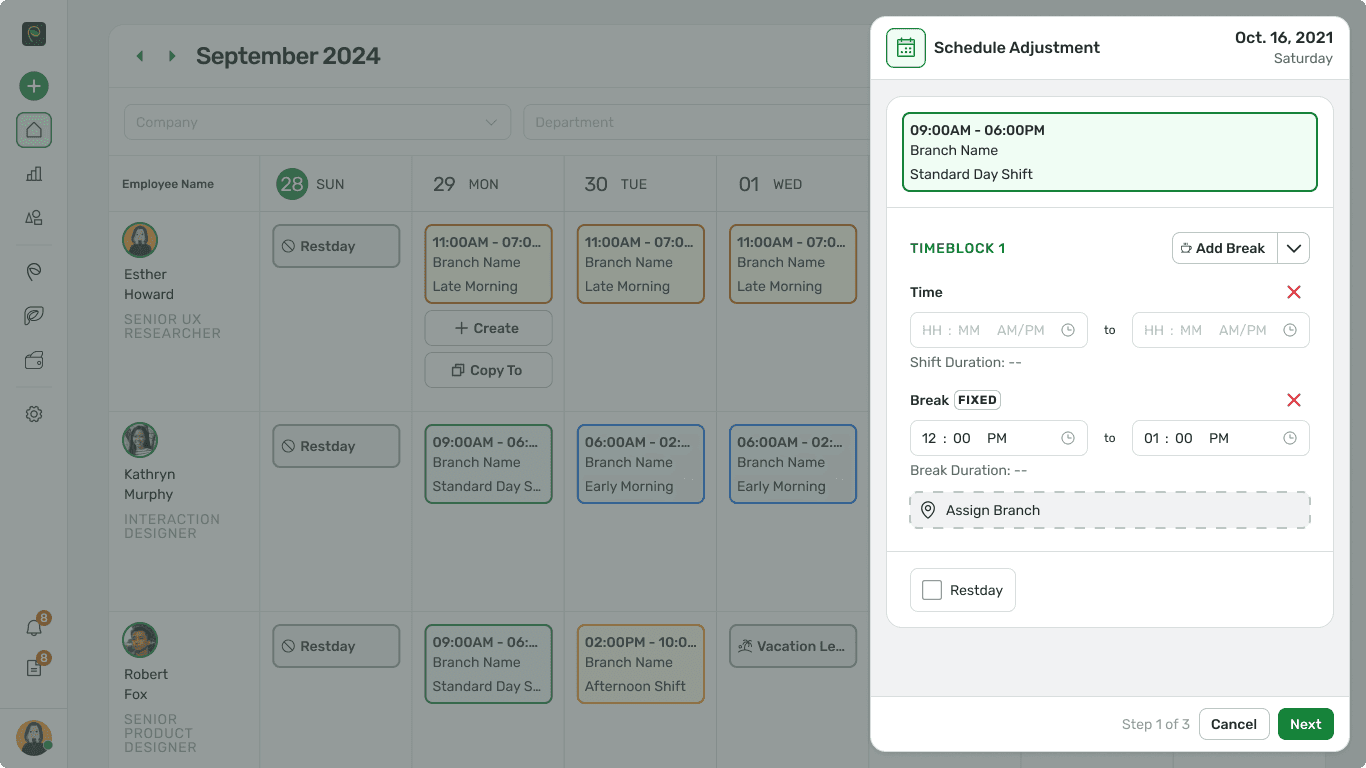
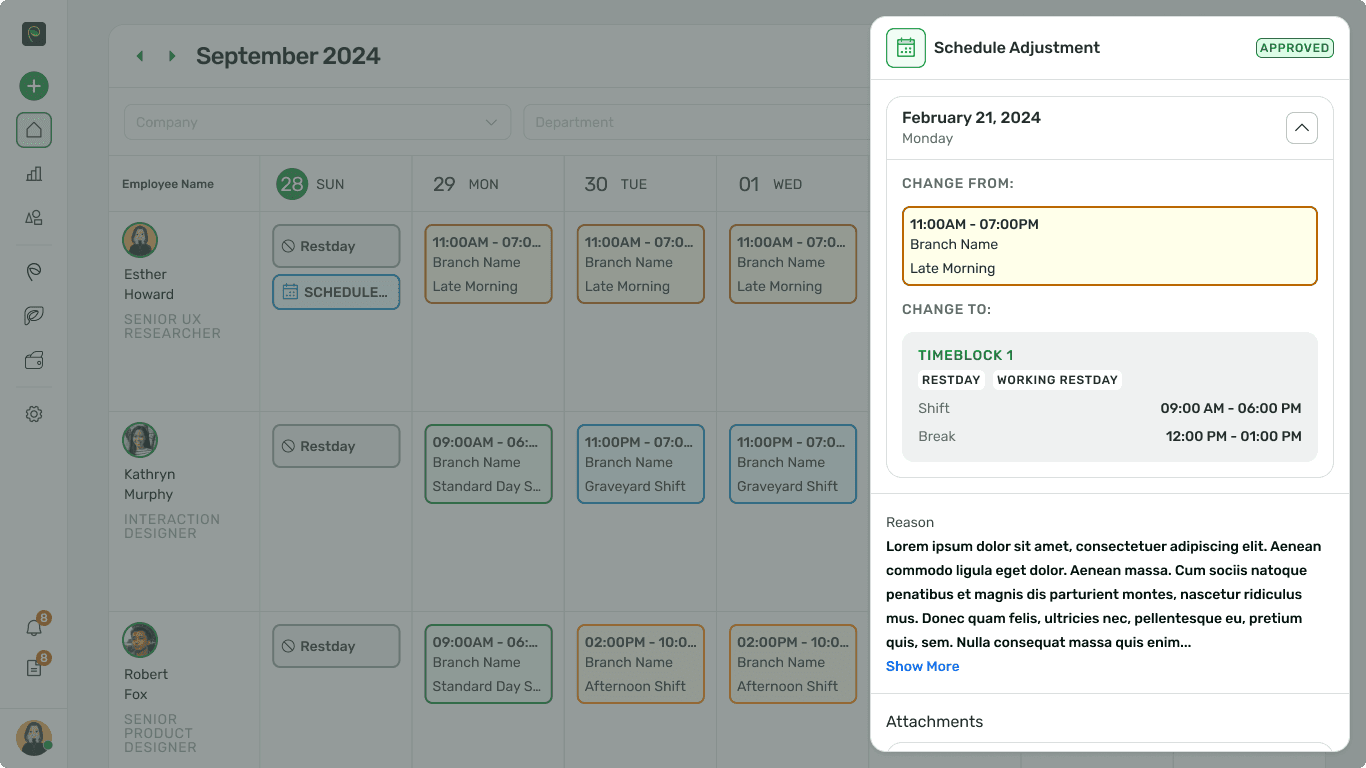
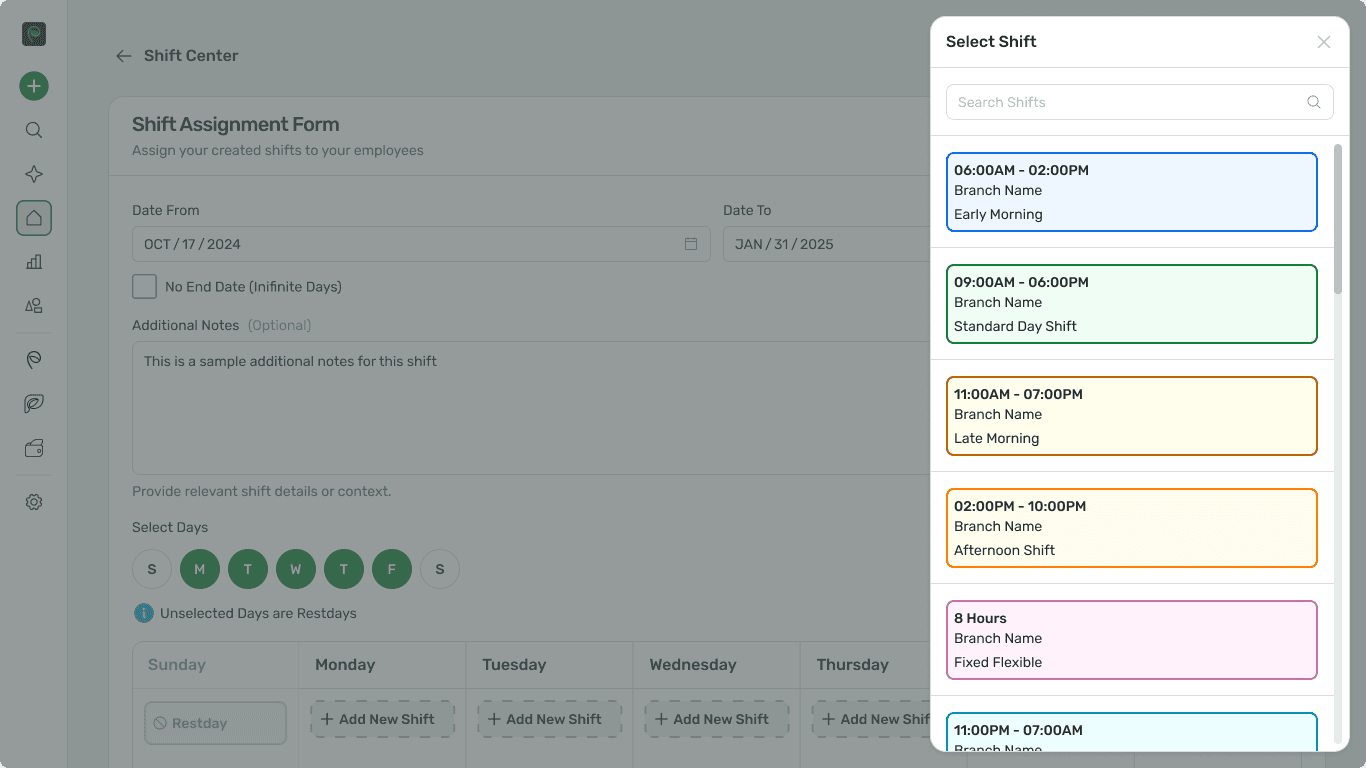
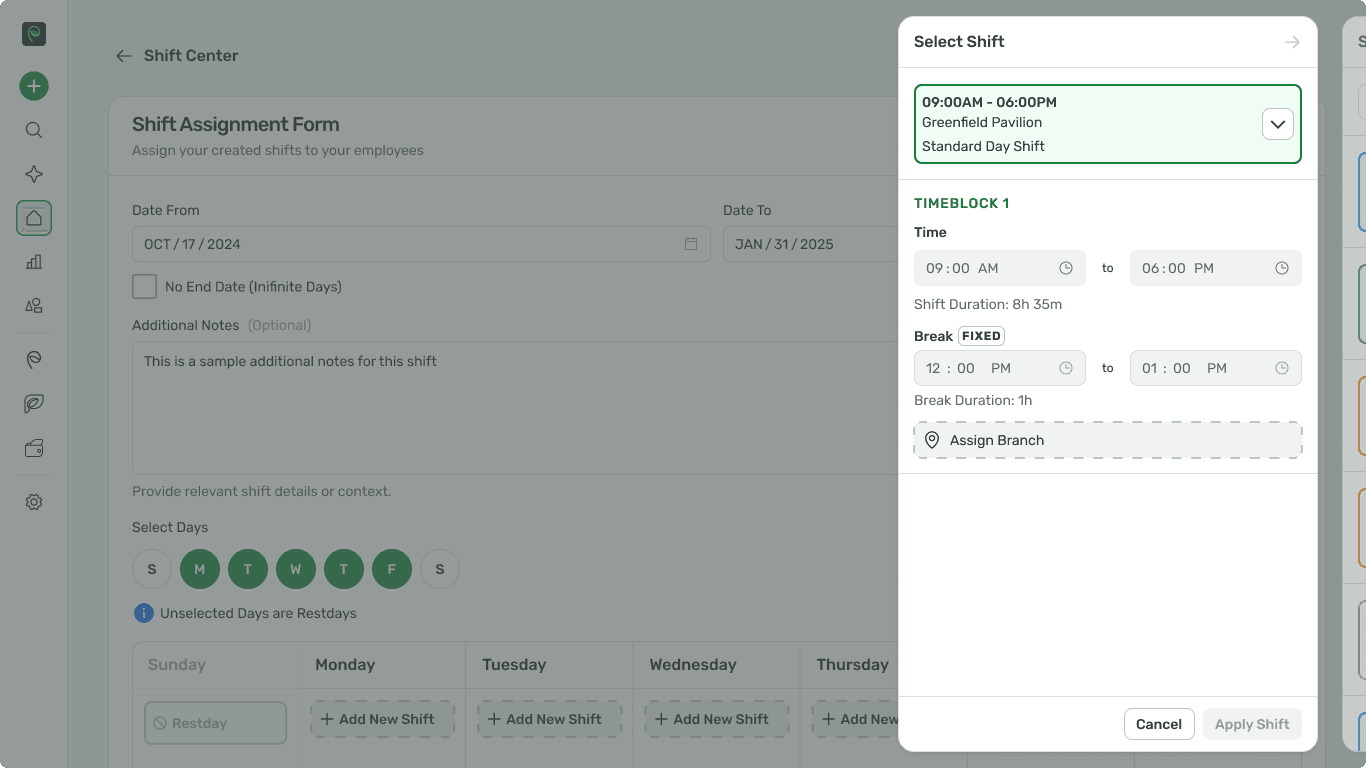
For teams that meant faster delivery and fewer design debates. For users it meant predictability: they always knew what opening that panel would do.
Why the design system made this possible
The panel wasn't a one-off component — it was a pattern, and patterns need shared foundations: standardised spacing and hierarchy, reusable form patterns, clear rules for headers, sections and actions. New use cases plugged in instead of reinventing the UI.
The tell that it was working: new teams stopped asking how to design a side panel, and started asking what content belongs at which level.
Design systems scale UI. Product knowledge scales decisions.
Understanding Time & Attendance deeply is what made the levels right — knowing which data mattered first, how approvals really flow, which edge cases would show up in production.
Product knowledge is what told us a graveyard shift's break rules belong in Level 1, not three taps deep.
An interaction model, not a funnel
No dashboard of conversion metrics here. So before touching pixels I defined the bar, and every decision got measured against it.
Answer it without leaving the page or opening a second tab.
The hardest task in the product should feel like four small decisions, not one overwhelming form.
Someone who's opened the panel in attendance should feel at home opening it in requests.
A new use case should be a content question, not a redesign.
Most importantly, the system had to feel calm even when the data wasn't. That was the real bar.
What I'd do differently
Pressure-test the level model earlier, with messier data. The levels held up beautifully for a clean day — but the gnarly days (overlapping holidays and a correction and a pending leave on the same date) are where the hierarchy gets argued over. Next time I start with the worst day on the calendar, not the average one.
Key takeaways
- Complexity is inevitable. Confusion is optional.
- Progressive disclosure is a strategy, not a gimmick — it only works when every layer is contextual.
- Design systems are force multipliers, but only when paired with real product understanding.
- You know a component has become a system when teams stop asking how to build it and start asking what goes in it.
This panel lasted not because it was clever, but because it understood the product deeply.
And because the system let everyone else reuse that understanding without rebuilding it. That's what makes systems last.